
Why AI-supported workflow orchestration is reaching the mid-market now
Everyone who raises a purchase order, onboards a colleague, or seeks a quote approval sees the same pattern: information moves by email, chat, and shared spreadsheets. Classic workflow tools were either too rigid or required a six-month IT project. That has changed.
Workflow orchestration with AI no longer means modelling every step upfront in a diagram. Modern orchestration layers can read context, route cases variably, and trigger approvals — even when the process is not fully standardised. That is the shift from simple RPA or static rules.
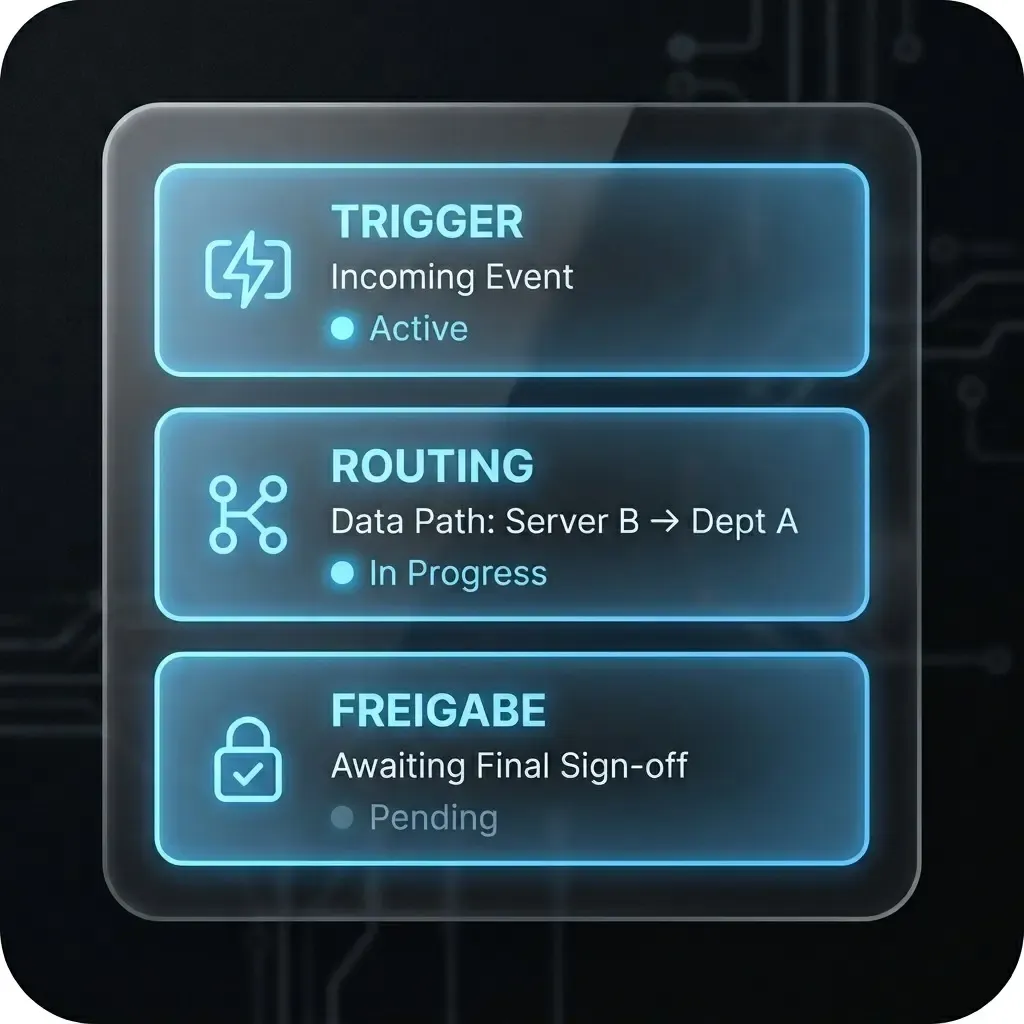
The three building blocks
Whether the process is procurement, sales, HR, or service — every orchestratable flow maps to the same three components.
1. Trigger: what starts the workflow?
Triggers can be emails, CRM records, forms, calendar events, or ticket updates. The critical step is to make them machine-readable. While a process still starts with “someone sends a quick email”, there is no reliable automation base.
2. Routing: which system or person acts next?
This is where AI changes the game. Classical tools need explicit rules. AI-assisted routing can use context — priority, urgency, workload — which matters when experienced staff used to coordinate informally.
3. Approval: who authorises the next step?
Approvals are the main source of wait time. Orchestration does not mean AI decides; it means the right person receives the right bundle at the right time — with escalation if nothing happens.
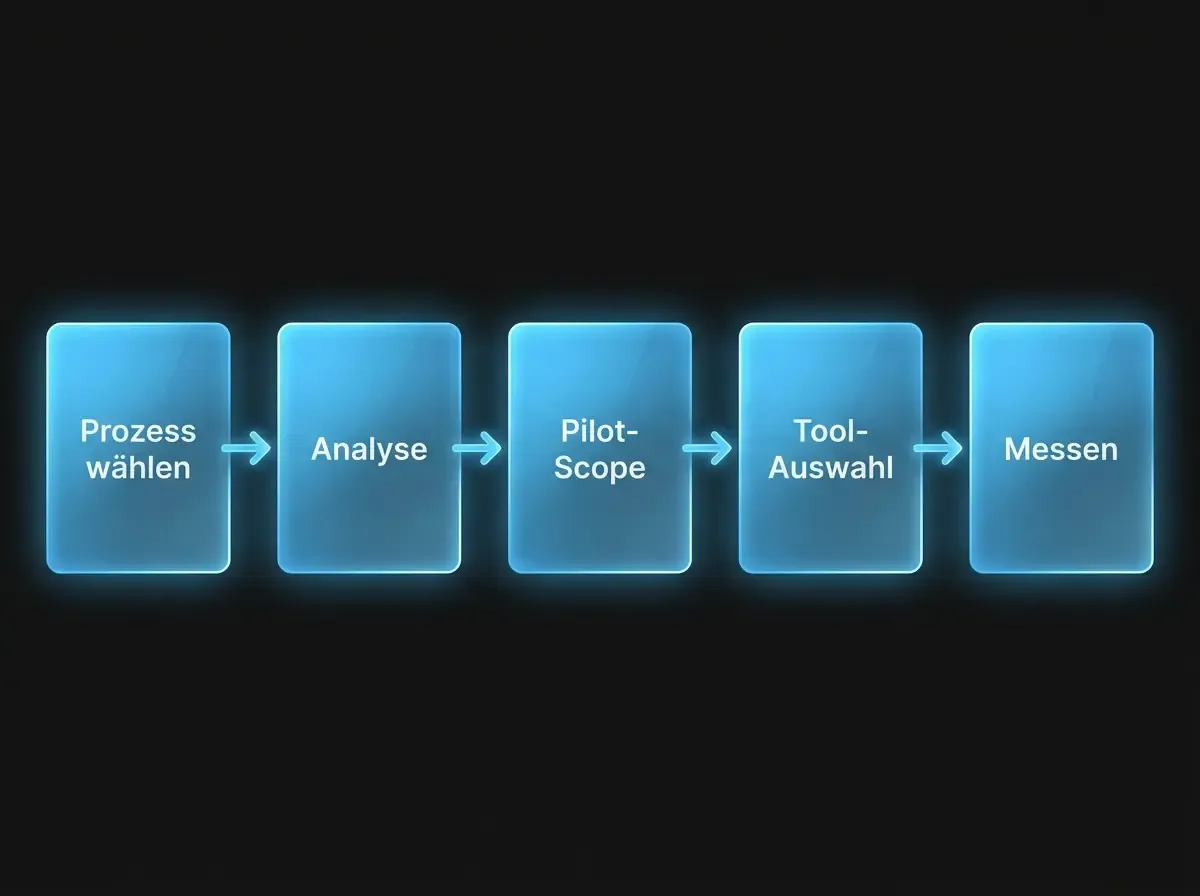
Five steps to a first orchestrated workflow
Successful orchestration starts with a single process that today costs measurable manual coordination — not with a platform bake-off.
Step 1: Identify the highest-cost handover
Ask three to five people who coordinate daily where time is lost. Typical candidates: quote approval, purchases with multiple sign-offs, cross-functional complaints, onboarding. Document five to ten steps — not more.
Step 2: Make trigger, routing, and approval explicit
For each step: who informs whom, how, on what basis? Where are decisions taken — and using which criteria? This exposes where tacit knowledge drives coordination today — and where AI routing can help.
Step 3: Bound the pilot scope
Pick a narrow slice — e.g. approvals for orders between €5k and €50k — not “the entire procurement process”. Smaller scope means faster proof and lower risk.
Step 4: Choose technology for the process
Only after the process is clear should you pick tools. Many pilots start with lightweight orchestration connected by API to ERP, email, or CRM. Starting from a vendor pitch and bending the process to the tool is the common mistake.
Step 5: Measure before you scale
Define two to three KPIs before the pilot: cycle time, manual touchpoints, error rate, or approval wait time. Scale only when metrics improve credibly.
What often goes wrong
- Scope too wide: “Automate all of procurement” is still in requirements analysis six months later.
- Weak trigger discipline: automation needs machine-readable triggers. “Quick email” is not one.
- Approvals without escalation: every approval path needs a fallback when nobody responds.
- No owner: automated workflows need a business owner who prioritises changes — not only a technical admin.
Orchestration is an organisational capability: it grows with every process you ship. Start small, measure honestly, and scale from there.